You already ask your assistant to write the letter. Now it can get it posted too.
- Setup
- 1 URL
- No account or API key
- Works in
- Claude
- ChatGPT and any MCP client
- From
- $10
- The same as the website
- Posted
- When you pay
- After you've seen the preview
Unopost has an MCP connector, so Claude, ChatGPT and other assistants can get your document ready to print and post by Australia Post, tracked, without you leaving the chat.
You
Can you post this letter to my landlord by Express Post? Both addresses are on it.
Your assistant
It's ready: 2 pages, $20 by Express Post. Check the preview and pay at your private link, and Unopost posts it, tracked.
What MCP is
MCP (Model Context Protocol) is an open standard that lets an AI assistant use tools on other websites. Add our connector and your assistant can check prices, prepare a letter and tell you when it's been posted.
Try it in two minutes
- In Claude, open Customize → Connectors, choose Add, then Add custom connector.
- Name it Unopost and paste the address below. Leave authentication off: there's no sign-in.
- In a chat, turn Unopost on from the tools menu, attach a PDF or Word document and say who it's going to.
https://unopost.com.au/api/mcp
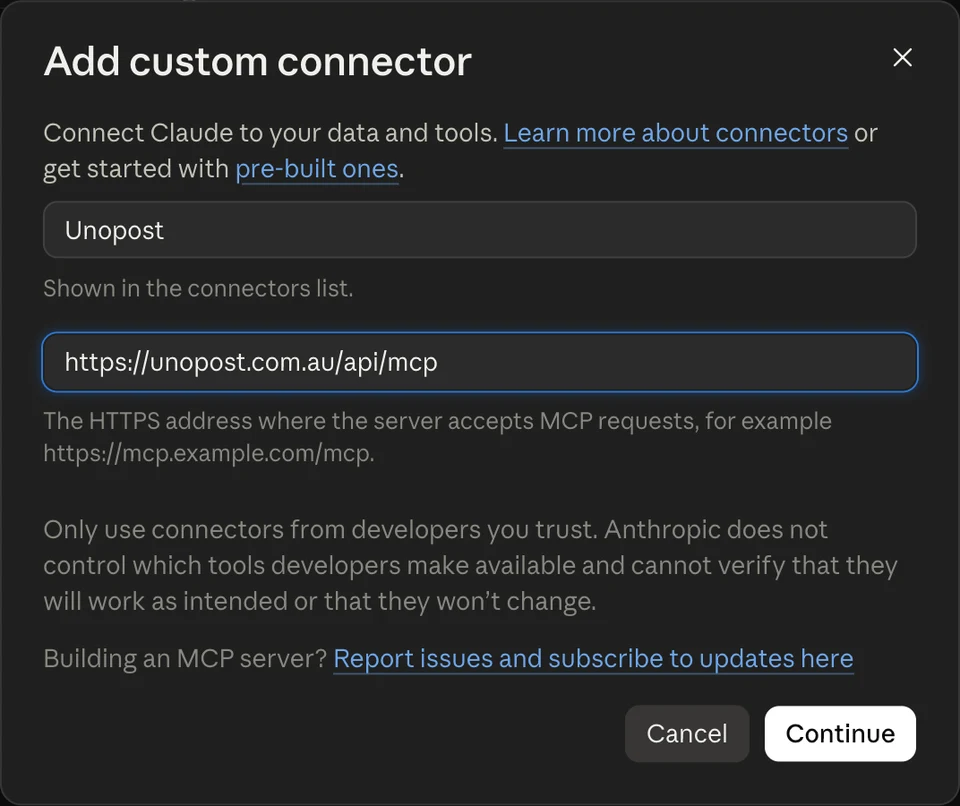
- ChatGPT: add a custom connector in developer mode with the same address and no authentication.
- Claude Code: run this in your terminal.
claude mcp add --transport http unopost https://unopost.com.au/api/mcp
What happens next
- You ask your assistant
- It prepares the letter
- You check the preview and pay
- We post it, tracked
Your assistant confirms both addresses with you, sends us your original file unchanged and gives you a private link. You open it, check the preview, enter your email and pay by card. Paying is what posts the letter, so nothing goes out until you've seen it.
What it costs
The same as on the website: $10 by regular post for up to 12 pages, or $20 by Express Post for up to 20 pages, then $0.30 a page, GST included. Every letter is tracked.
The short version
Add one URL, attach your letter and say who it's for. Developers can find the tools and limits on our MCP connector page.